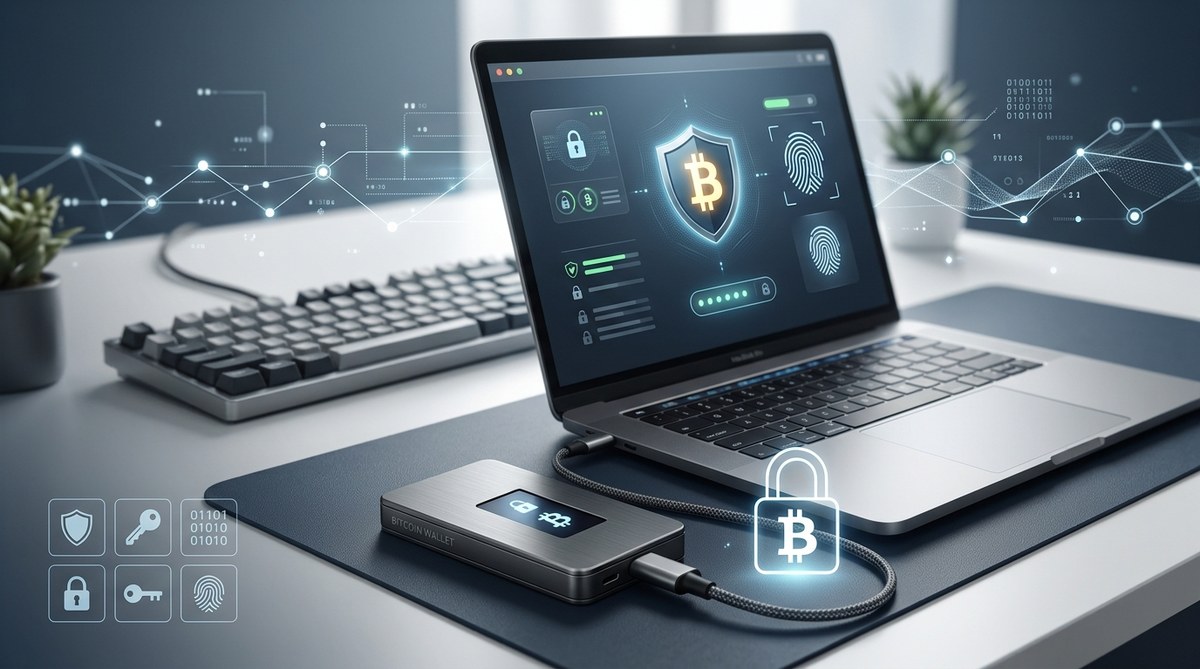
Bitcoin is famous for putting you in control of your money, but that control comes with responsibility. Your Bitcoin wallet holds the keys that unlock access to your funds. If those keys fall into the wrong hands or are lost, recovering your wealth can be time consuming or impossible. In this guide, we will walk through practical, tested steps to secure your Bitcoin wallet. Whether you are new to crypto or you manage large holdings, these safety measures can dramatically reduce risk while keeping your coins accessible when you need them.
Be careful with online services
- Understand the landscape: Online wallets, exchange wallets, and cloud backups may offer convenience, but they also introduce extra risk. If a service is compromised or you lose access to your account, your funds could be stolen or frozen.
- Use non custodial solutions where possible: Self custody gives you full control over your private keys. If you trust a provider with your keys, you are placing your wealth in someone else’s hands.
- Be wary of phishing and fake sites: Always double check URLs, beware unsolicited emails asking you to log in, and enable browser protections that alert you to known phishing domains.
- Prefer reputable platforms for transactions only when needed: If you must use an exchange for trading or moving funds, transfer only what you need and keep the bulk of your holdings in a secure wallet you control.
Small amounts for everyday uses
- Hot wallets for daily spend: It makes sense to keep a small portion of your Bitcoin in a hot wallet or mobile wallet for everyday purchases or quick transfers.
- Limit the risk: Do not store life savings or long term investment in hot wallets. The convenience of quick access is balanced by higher risk of online threats.
- Use transaction batching and deliberate timing: When possible, batch transactions to reduce exposure time and minimize the number of signing events that could be compromised by a breached device.
Backup your wallet
Backups are the backbone of wallet security. Even the best hardware setup can be useless if you lose your keys and have no way to restore.
- Backup your entire wallet
1) Create a comprehensive backup that includes all seed phrases, private keys, and wallet metadata.
2) Record recovery data in a secure, offline location and test the restore process regularly.
3) Include the backup in your estate planning to ensure access after life events. - Encrypt backups
- Always encrypt digital backups with a strong password. Use modern encryption standards (AES-256 or equivalent) and keep the password separate from the backup itself.
- Do not store unencrypted backups on devices connected to the internet or in cloud storage without strong protection.
- Use many secure locations
- Diversify backups across multiple mutually independent secure locations, such as a home safe, a bank safety deposit box, or a trusted trusted secure facility.
- Use physical redundancy so that a single incident (fire, flood, theft) does not wipe out all copies.
- Make regular backups
- Schedule automatic reminders to back up when you add new keys, change wallet settings, or update the firmware.
- Periodically verify that the backups can be restored on a clean device to catch issues early.
Encrypt your wallet
Encryption adds a critical layer of protection that makes it much harder for attackers to use your wallet even if they access your files or device.
- Never forget your password
- Create a mental or physical recovery plan for your password in case you forget it. Do not rely on simple or easily guessed passwords.
- Use a strong password
- Combine length, complexity, and unpredictability. A passphrase made from several unrelated words can be both strong and memorable.
- Avoid reusing passwords across services and wallets.
- Protect backups with encryption too
- If you make backups, ensure they are encrypted as well. Do not leave unencrypted backups on laptops, phones, or cloud storage.
- Use a password manager
- A reputable password manager can help you generate and store complex passwords securely. Keep the master password itself well protected and consider a separate device to access the manager.
Offline wallet for savings
Offline storage is one of the most reliable ways to protect assets from online threats. Cold storage minimizes exposure to online hacks and malware.
- Offline transaction signing
- Use a device that never connects to the internet to sign transactions. Transfer the signed transaction to an online device only through a secure, physical method (eg USB with care) to broadcast it.
- Verify all transaction details on the air gapped device before signing.
- Hardware wallets
- A dedicated hardware wallet keeps private keys offline and signs transactions without exposing keys to a connected computer.
- Choose reputable hardware wallets with robust security features, such as secure elements, screen verification, and restore seed options.
- Keep firmware updated, but never update from untrusted sources. Validate updates from the manufacturer.
- Other cold storage options
- Paper wallets can be used if generated securely and stored offline, but be mindful of physical degradation and moisture.
- Steel seed backups offer high durability for long-term storage. Securely engrave or stamp the seed phrases.
Keep your software up to date
- Firmware and wallet software
- Regularly update firmware on hardware wallets and wallet apps to patch security vulnerabilities.
- Enable automatic updates where possible, but review permissions before installing new features.
- Operating system and devices
- Keep your computer, phone, and any devices used for wallet management updated with current security patches.
- Use reputable security software and practice safe browsing habits to reduce exposure to malware.
Multi-signature to protect against theft
Multi-signature (multisig) arrangements require more than one private key to authorize a transaction. This can significantly mitigate theft risk and central points of failure.
- Understand how multisig works
- A multisig setup can require 2-of-3 or 3-of-5 keys to sign a transaction. Even if one key is compromised, funds remain safe.
- Multisig can be used with hardware wallets, software wallets, or a mix of both to balance convenience and security.
- Implement a practical multisig plan
- Distribute keys across different locations and devices to reduce the chance that a single incident compromises all keys.
- Rotate keys periodically and maintain up to date backups for each participant or device.
- Benefits of multisig
- Theft resistance: An attacker would need multiple keys spread across locations.
- Continuity: If a device is lost, other keys can still authorize transactions.
- Estate planning: Multisig provides options for heirs to access funds under defined conditions.
Think about your testament
Estate planning for cryptocurrency is essential. If something happens to you, your heirs should be able to access your Bitcoin with minimal friction.
- Create a clear plan
- Document who can access your wallet and under what conditions, including who holds backup seeds and how to use multisig if applicable.
- Include instructions for recovering access and maintaining privacy while fulfilling legal obligations.
- Store estate documents securely
- Keep copies of the plan in multiple secure locations, separate from wallet backups.
- Consider legal counsel to ensure your plan aligns with local laws and your beneficiaries’ needs.
- Communicate with trusted parties
- Ensure that a trusted person understands where to find the keys and how to access them when needed, without exposing them to unnecessary risk.
Privacy and security best practices to consider
- Use a VPN for privacy when accessing wallets or initiating transactions from public networks. This reduces exposure to network eavesdropping.
- Consider Tor or other privacy tools for added anonymity when you need it, but ensure you understand how to use them correctly to avoid operational mistakes.
- Enable two-factor authentication on exchange accounts and any services that offer it, with an authentication app rather than SMS when possible.
- Never disclose private keys or seed phrases. The phrase should never leave a secure offline location other than written down in a trusted backup.
- Minimize assets on DeFi platforms or hot wallets. If you are interacting with DeFi, move only what you are willing to risk and ready to re-seed if things go wrong.
Seed phrases and recovery strategies you should know
- Seed phrase basics
- A seed phrase is a human readable representation of your private keys. It is the master key to recover your wallet.
- Treat seed phrases like cash: protect them with the same level of care.
- Physical backup strategies
- Use steel backups, laminated cards, or other durable methods that resist fire, water, and physical wear.
- Store backups in multiple independent, secure locations.
- Recovery process
- Practice a dry run with a test wallet to confirm your backup works as intended.
- Have a documented recovery plan that you can follow without exposing your seed phrase to others.
Common mistakes to avoid
- Storing seeds digitally
- Never store seed phrases in plain text on a computer, phone, or cloud service.
- If you must store digital copies, encrypt them and keep them offline in an encrypted file container that requires a strong passphrase.
- Relying on a single backup
- A single backup is a single point of failure. Diversify backups across multiple secure locations.
- Underestimating small threats
- Even small devices can be compromised by malware and keyloggers. Ensure your signing devices are clean and secured.
- Neglecting firmware updates
- Delaying firmware updates can leave known vulnerabilities open to exploitation.
- Overlooking seed phrase ownership
- If you are not the sole beneficiary, ensure heirs have access to the seed phrase or the multisig configuration under planned conditions.
Practical step by step checklist
- Step 1: Decide on a storage strategy
- Hot wallet for daily uses, cold storage for savings, and multisig where appropriate.
- Step 2: Secure backups
- Generate seed phrases securely, back up offline, and encrypt backups.
- Step 3: Implement hardware security
- Acquire a reputable hardware wallet, set up, and verify recovery phrases.
- Step 4: Establish a multisig framework
- Choose participants, devices, and locations for the keys, then test the setup.
- Step 5: Plan for the future
- Create an estate plan and document the process to ensure access for heirs.
- Step 6: Ongoing maintenance
- Update software, rotate keys if needed, and review backups annually.
Real world scenarios and how to respond
- If your device is compromised
- Immediately transfer funds to a secure hot wallet or cold storage with updated defenses.
- Revoke any compromised access credentials and rotate keys.
- If you lose a seed phrase
- Restore from backups if you have multiple secure copies.
- If not possible, assess whether a multisig configuration exists that can still authorize transactions.
- If you suspect a phishing attempt
- Do not enter private data, close the window, and report the site if possible. Run malware scans and verify device integrity.
How TheRealBitcoin.org can help
- Step by step guides on setting up hardware wallets
- Tutorials on creating and maintaining secure backups
- Clear explanations of hot versus cold wallets and when to use each
- Insights into the role of VPNs and privacy tools in protecting wallet access
- Practical advice on recovering lost wallets and planning for the future
Final thoughts
Security is a journey, not a single event. By combining hardware wallets for long term storage, encryption for backups, multi signature where practical, and thoughtful estate planning, you dramatically reduce the risk that your Bitcoin will be lost or stolen. The most important habit is to keep your keys offline whenever they do not need to be used, and to test your recovery procedures regularly. With discipline, you can enjoy the security and independence that Bitcoin offers while maintaining peace of mind about your assets.
Popular questions answered
- Are hardware wallets truly safer than software wallets?
- Yes, generally hardware wallets keep private keys offline and sign transactions within the device, reducing exposure to malware on connected devices.
- What is the best way to backup seed phrases?
- Back up multiple copies offline in secure locations, and consider durable storage methods like steel backups. Encrypt digital backups and minimize digital exposure.
- Should I use multisignature for personal holdings?
- Multisignature can add a strong layer of protection, especially if you want to distribute keys across devices or locations. It is a good fit for larger holdings or a family plan.
- How often should I update wallet firmware?
- Check for updates whenever they are released and apply them after reviewing the release notes. Active maintenance is part of ongoing security.
If you want more guidance
– Explore the RealBitcoin guides on recovering lost wallets, securing coins with hardware wallets, and understanding privacy tools.
– Consider engaging with community resources and doing practice exercises to become more confident in your security setup.
By following the practices outlined in this article, you will be better prepared to secure your Bitcoin wallet against theft, loss, and unauthorized access. The safety of your digital wealth hinges on deliberate preparation, thoughtful storage choices, and regular maintenance. Take the first concrete step today: review your wallet setup, verify your backups, and plan your multisignature or estate strategy so you are ready for whatever comes next.











No Responses